KDE推出全新终端Kwi,GPU加速性能超越Konsole

Mark Do · · 109 次阅读 · linux软件

KDE推出全新终端Kwi,GPU加速性能超越Konsole

为何在Konsole服役29年后,KDE还要造一个新终端?

KDE社区迎来了一位重磅新成员——名为 Kwi(发音类似“kwee”)的全新终端模拟器。这并不是 Konsole 的常规更新,而是一个基于 Ghostty 终端引擎库打造、专为 KDE Plasma 桌面环境从零开始构建的独立项目。我已经在基于 KDE Plasma 的 CachyOS 虚拟机中体验了 Kwi 的 0.1.0 版本,虽然这是一次功能概览而非严格性能测试,但其带来的视觉与交互变化令人印象深刻。
既然 Konsole 是 Linux 下最可定制的终端之一,为何还要开发新工具?核心答案在于速度与架构现代化。

  • 渲染引擎差异:Konsole 基于 Qt Widgets,依赖 CPU 进行绘制;而 Kwi 采用 Qt Quick 框架,支持通过 Vulkan 或 OpenGL 调用 GPU 加速渲染。
  • 性能优势:开发者 Eike Hein 声称,根据不同基准测试,Kwi 的速度可能是 Konsole 的 3 到 35 倍。虽然日常使用中未必能直观感受如此巨大的差异,但这表明了该项目对极致性能的追求。
  • 底层技术:Kwi 并未直接使用 Ghostty 应用,而是集成了其核心解析库 libghostty-vt,确保了高效稳定的终端解析能力。

Kwi Terminal

Kwi 的设计美学与特色功能

Kwi 的界面完全遵循 KDE 最新的设计指南,基于 Kirigami 框架构建。它能自动继承 Plasma 系统的色彩方案,确保与桌面环境无缝融合。有趣的是,“Kwi”这个名字源自韩文中“幽灵”的发音(gwisin),这也巧妙地呼应了其底层技术 Ghostty 的名字,其 Logo 中的小幽灵形象也颇有深意。
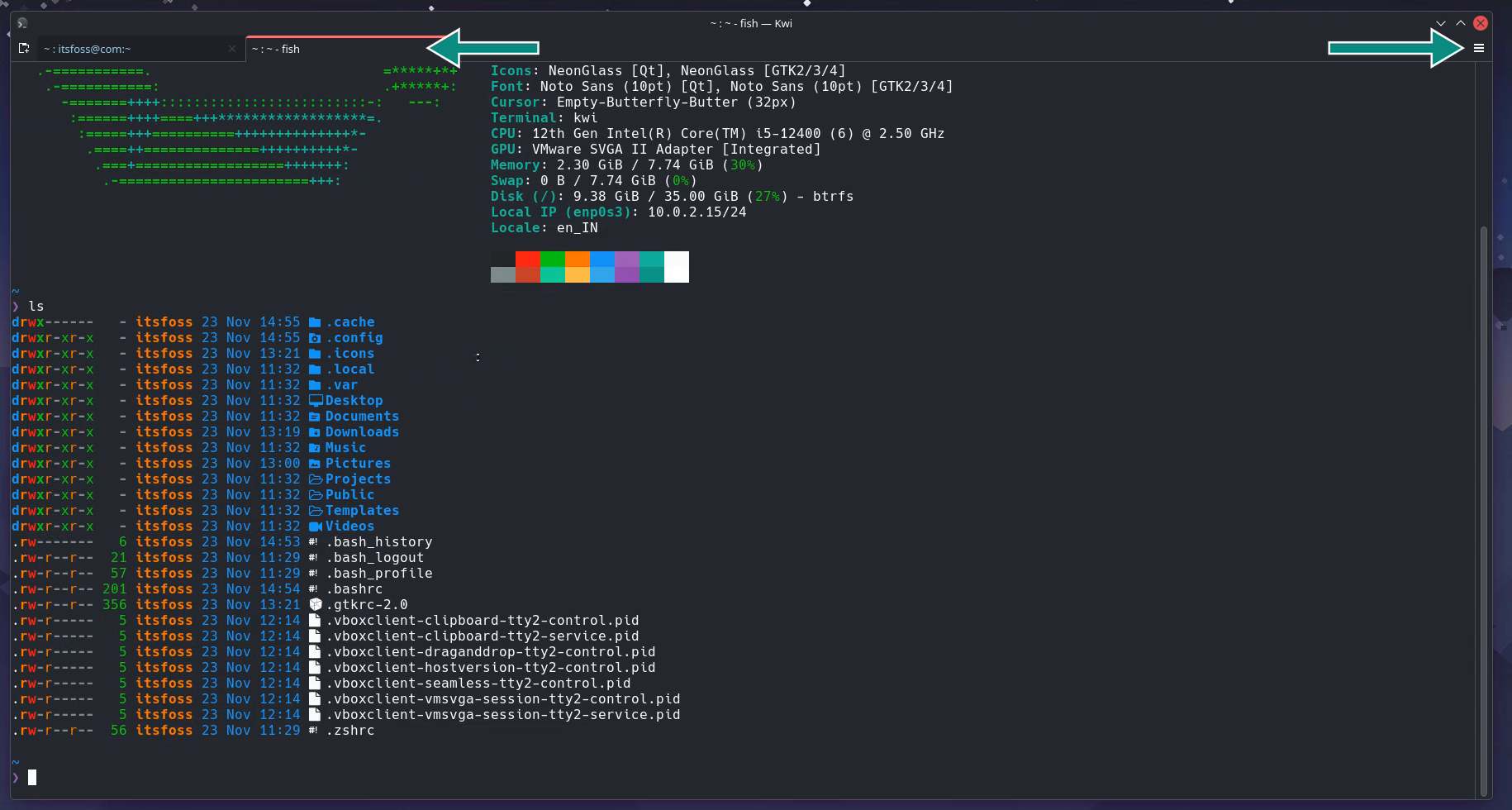
Kwi terminal on KDE Plasma with arrows pointing to its tab bar and menu button

个性化字体与配色定制

点击菜单按钮进入“Configure Kwi”界面,你可以对终端的外观进行深度定制:
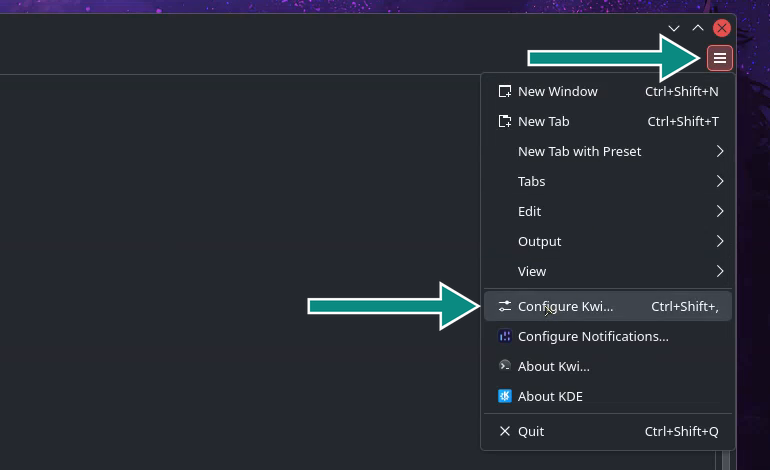
Kwi menu with arrows pointing to the menu button and the Configure Kwi option

1. 字体选择

默认情况下,Kwi 使用系统固定宽度字体。若需更改,只需取消勾选“使用系统固定宽度字体”,即可选择任意字体并调整大小。设置窗口会实时预览终端效果,方便你快速找到最舒适的搭配。
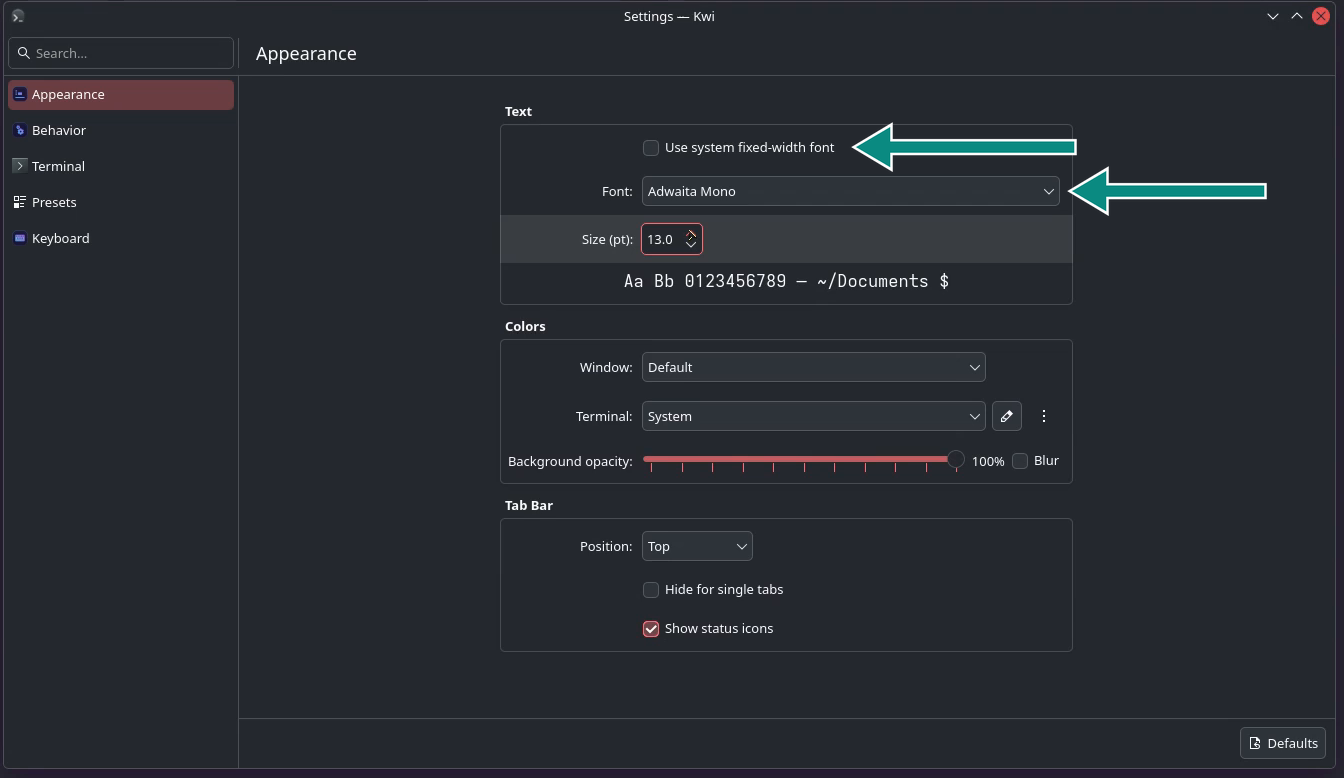
Kwi Appearance settings with arrows pointing to the system font checkbox and the font selector

2. 颜色方案管理

在“颜色”设置区域,“Window”选项控制应用窗口本身的视觉风格(如 Breeze Light/Dark 等),而“Terminal”下拉菜单则专门用于调整终端内部内容的颜色。
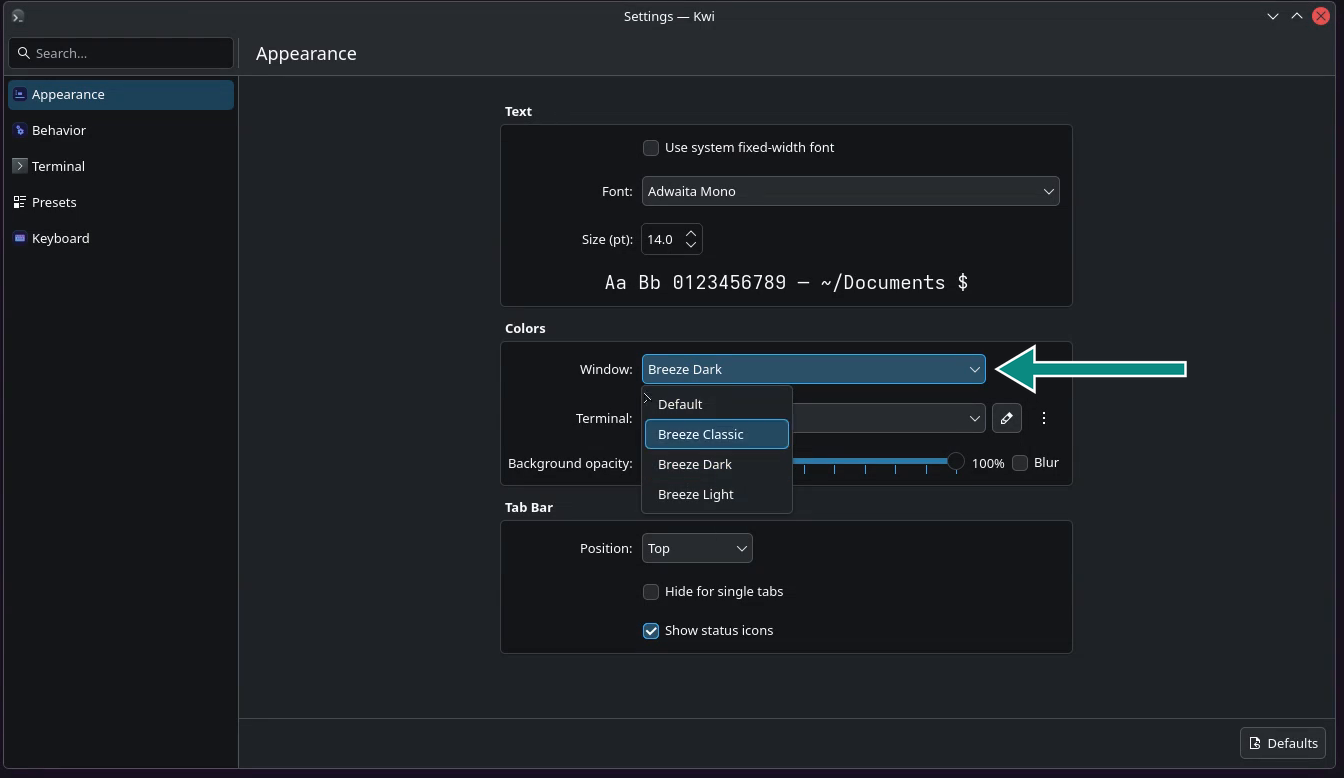
Kwi color settings with an arrow pointing to the Window color scheme selector

兼容 Konsole 方案:对于老用户而言,好消息是 Kwi 完全支持导入 Konsole 的颜色方案文件。你只需从 KDE Store 下载心仪的方案,然后在 Kwi 设置的 Terminal 下拉菜单旁点击“导入”,即可直接应用。例如,我可以轻松导入 Gruvbox 配色方案并立即生效。

透明背景与模糊效果
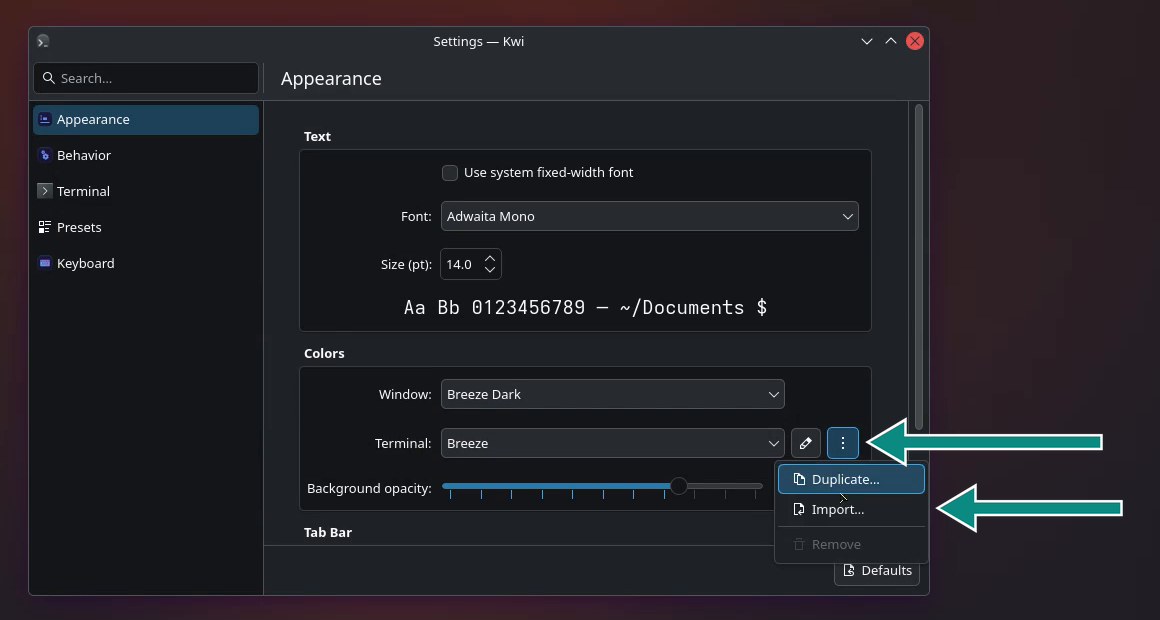
Three-dot menu next to the Terminal color scheme selector with arrows pointing to the button and the Import option

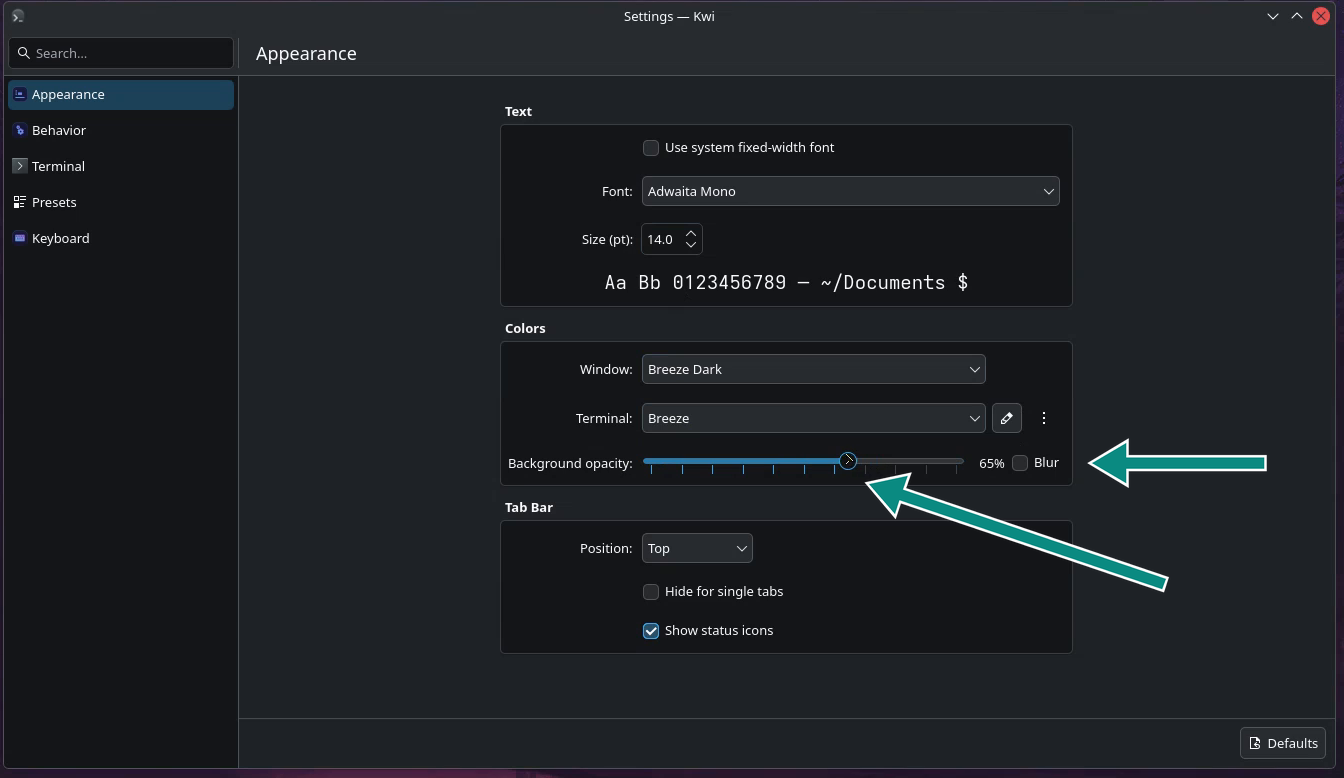
如果你偏爱磨砂玻璃或半透明的终端效果,Kwi 提供了背景不透明度滑块和“模糊(Blur)”复选框。

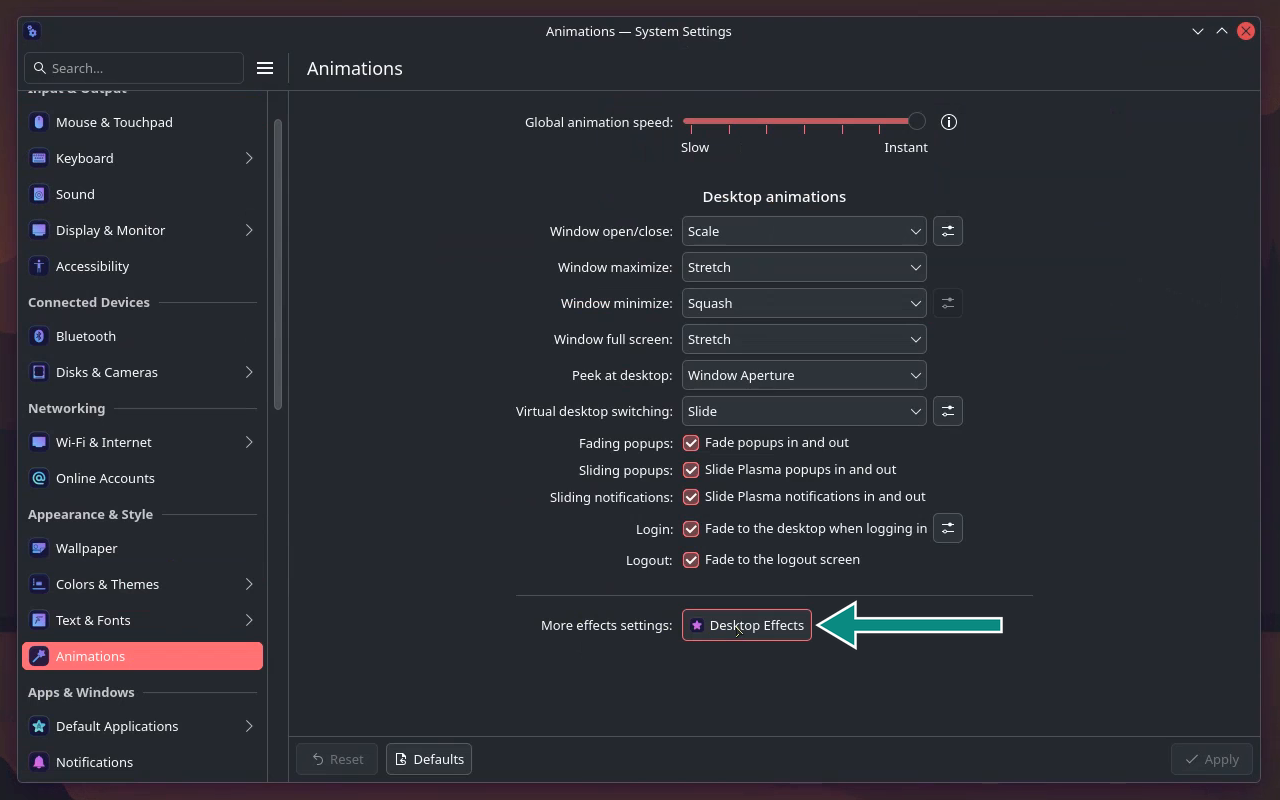
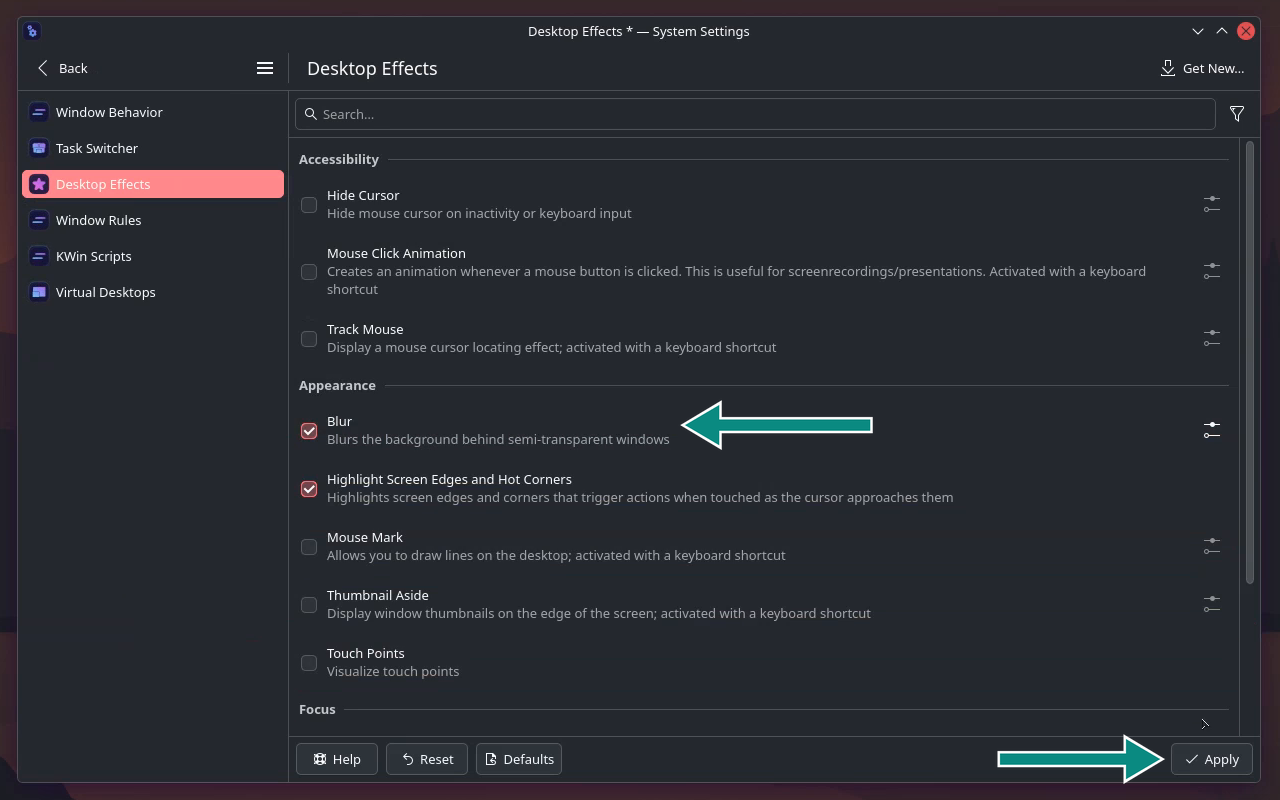
注意:要启用模糊效果,必须先在 Plasma 系统设置中开启桌面特效。路径为:系统设置 → 动画 → 桌面特效,确保“Blur”选项已启用。否则,即使你在 Kwi 中勾选了模糊,也无法看到实际的毛玻璃质感。
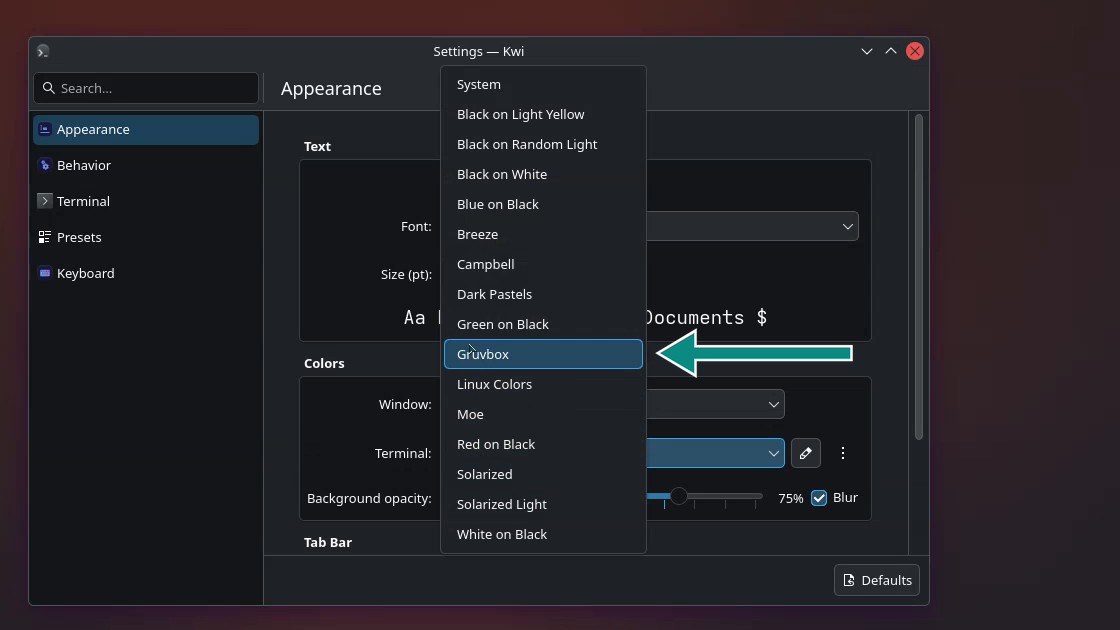
List of terminal color schemes in Kwi with an arrow pointing to Gruvbox


关注微信号:智享开源 ,及时了解更新信息。

Kwi Appearance settings with arrows pointing to the opacity slider and the Blur checkbox

Animations page in Plasma System Settings with an arrow pointing to the Desktop Effects button

Desktop Effects settings with arrows pointing to the Blur effect and the Apply button

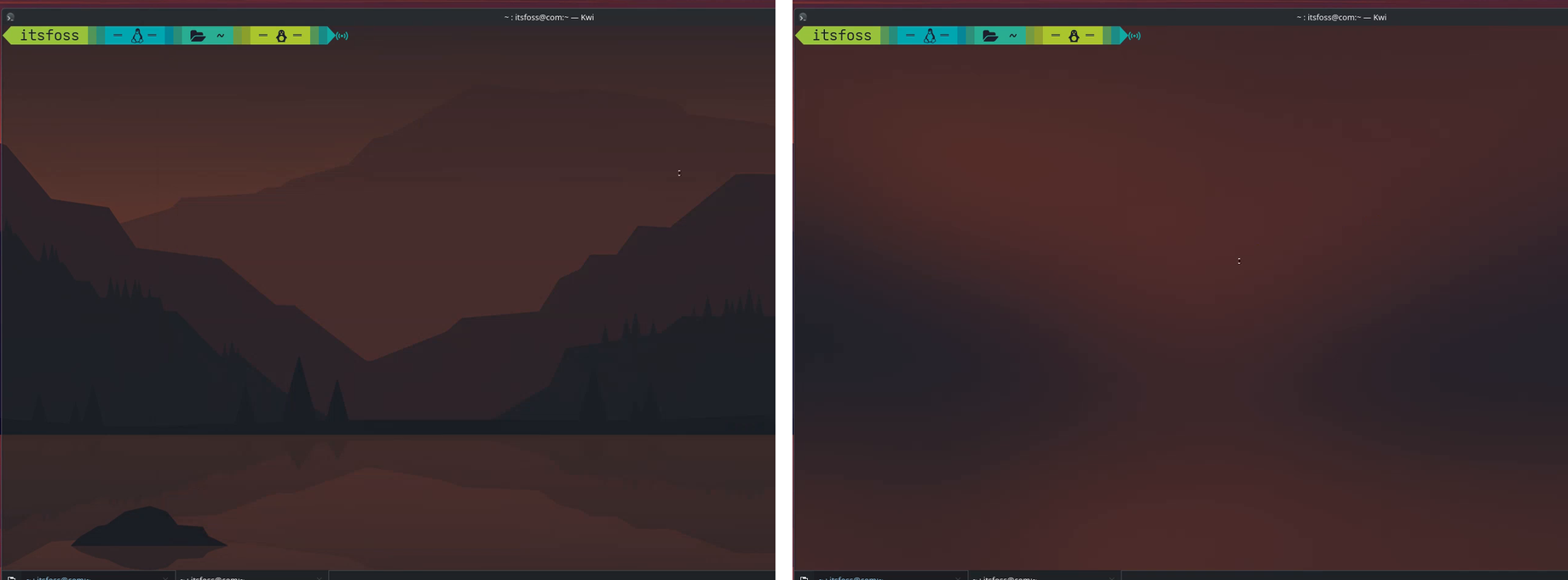
A transparent Kwi window without blur on the left and with blur on the right

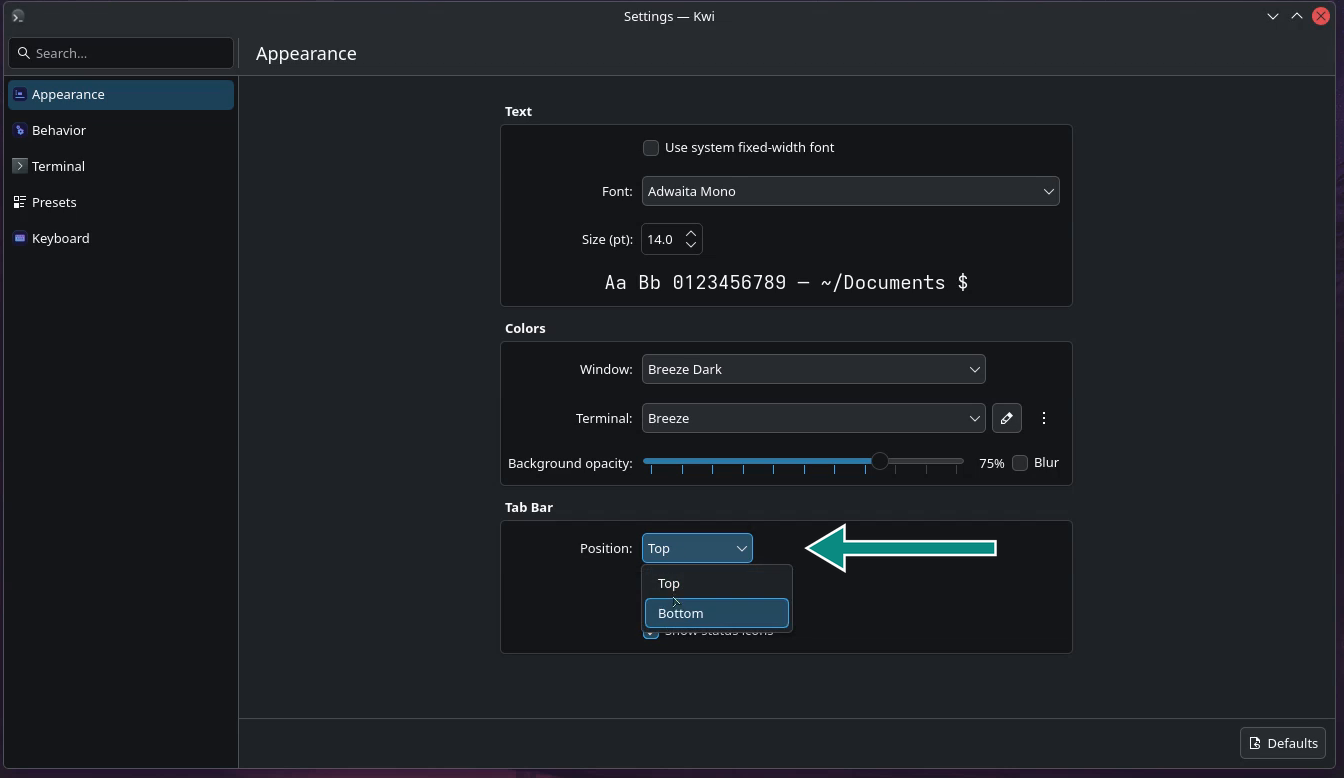
Kwi tab bar settings with an arrow pointing to the Position selector

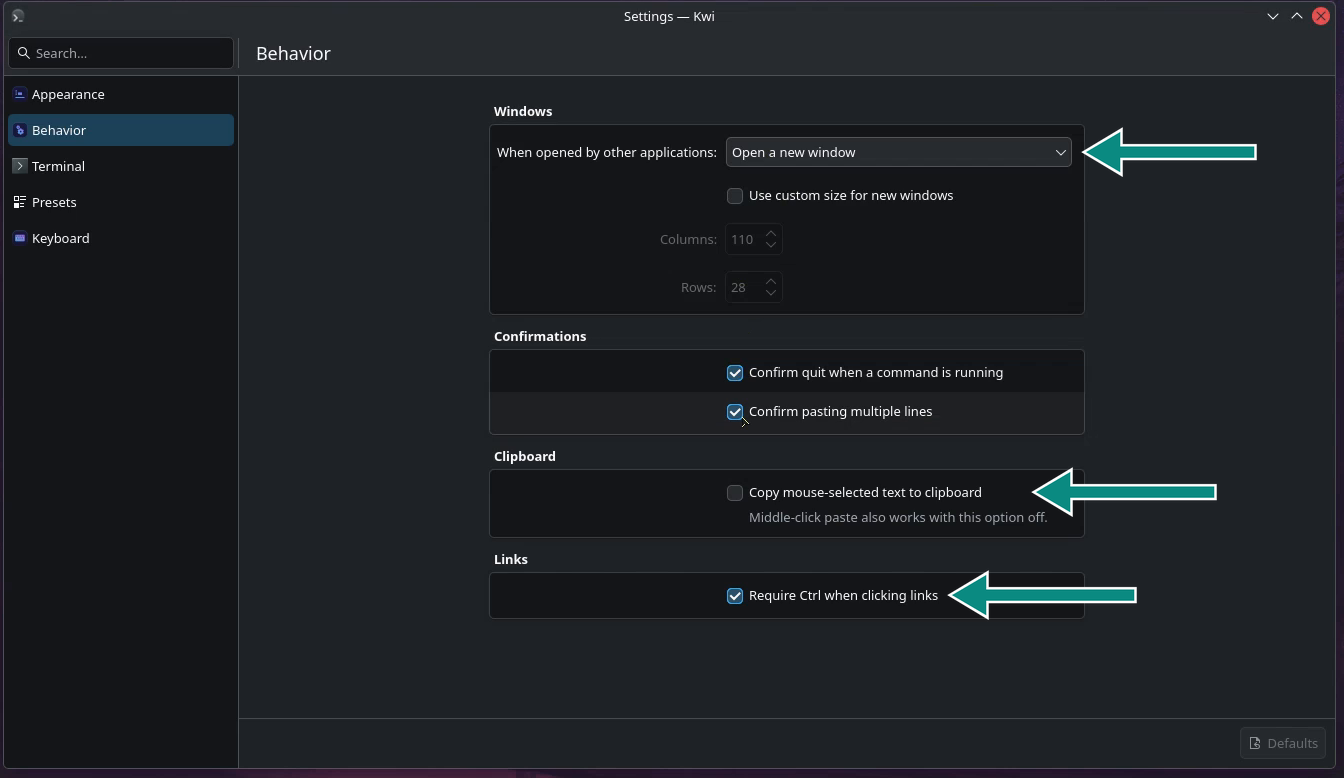
Kwi Behavior settings with arrows pointing to the window, clipboard and link options

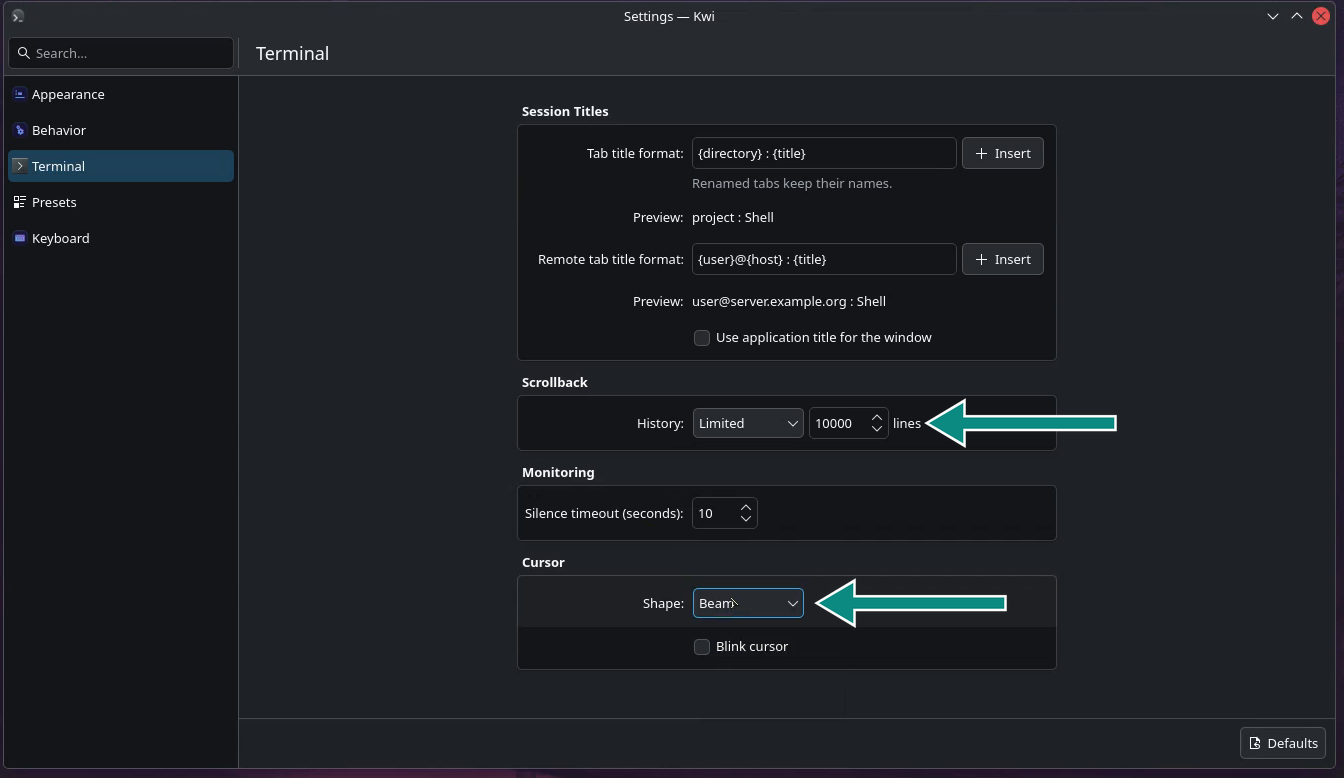
Kwi Terminal settings with arrows pointing to the scrollback limit and the cursor shape

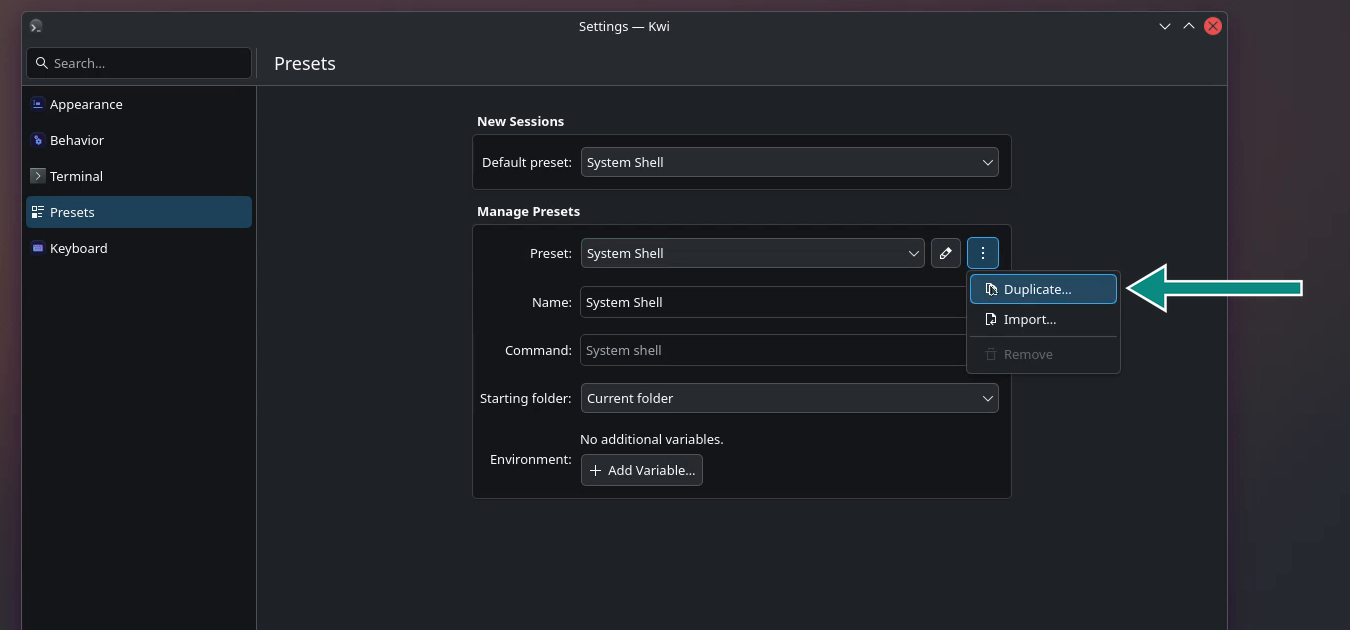
Three-dot menu in the Presets settings with an arrow pointing to Duplicate

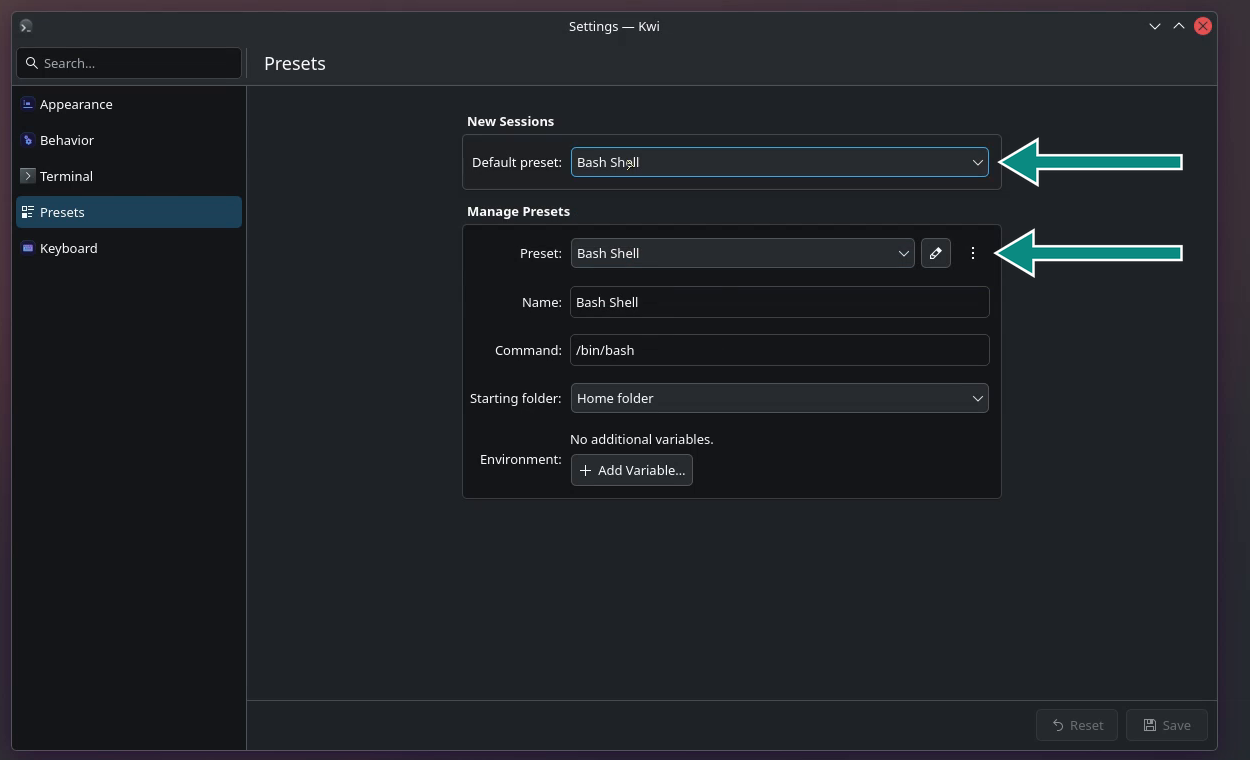
Presets settings with arrows pointing to the default preset and the preset being edited

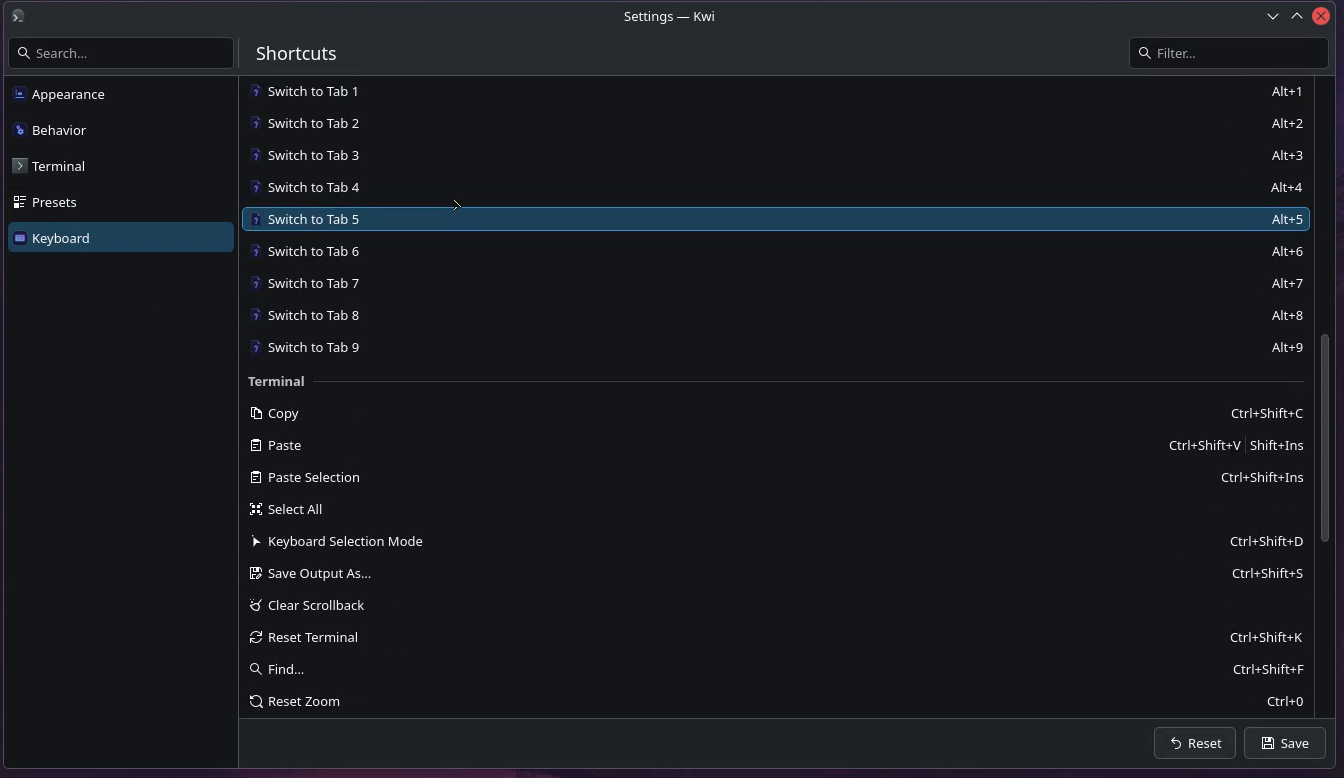
Keyboard shortcuts page in Kwi settings

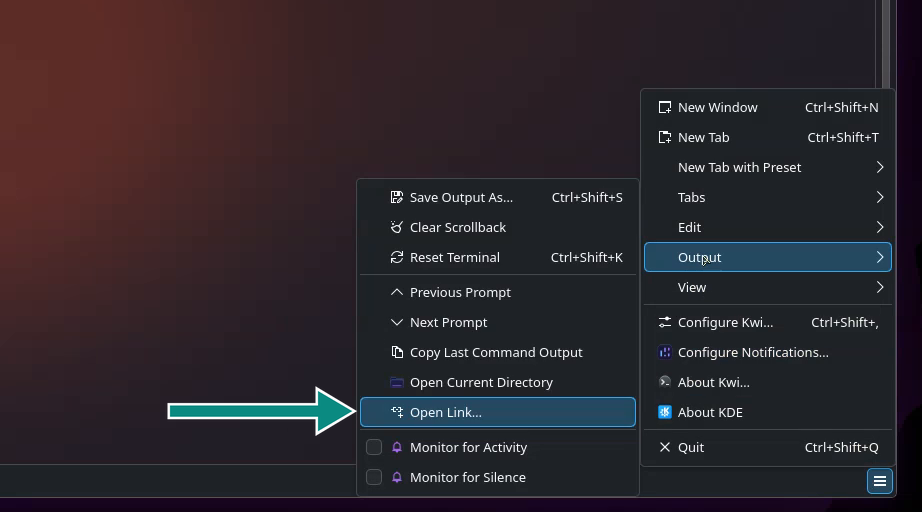
Kwi Output menu with an arrow pointing to Open Link

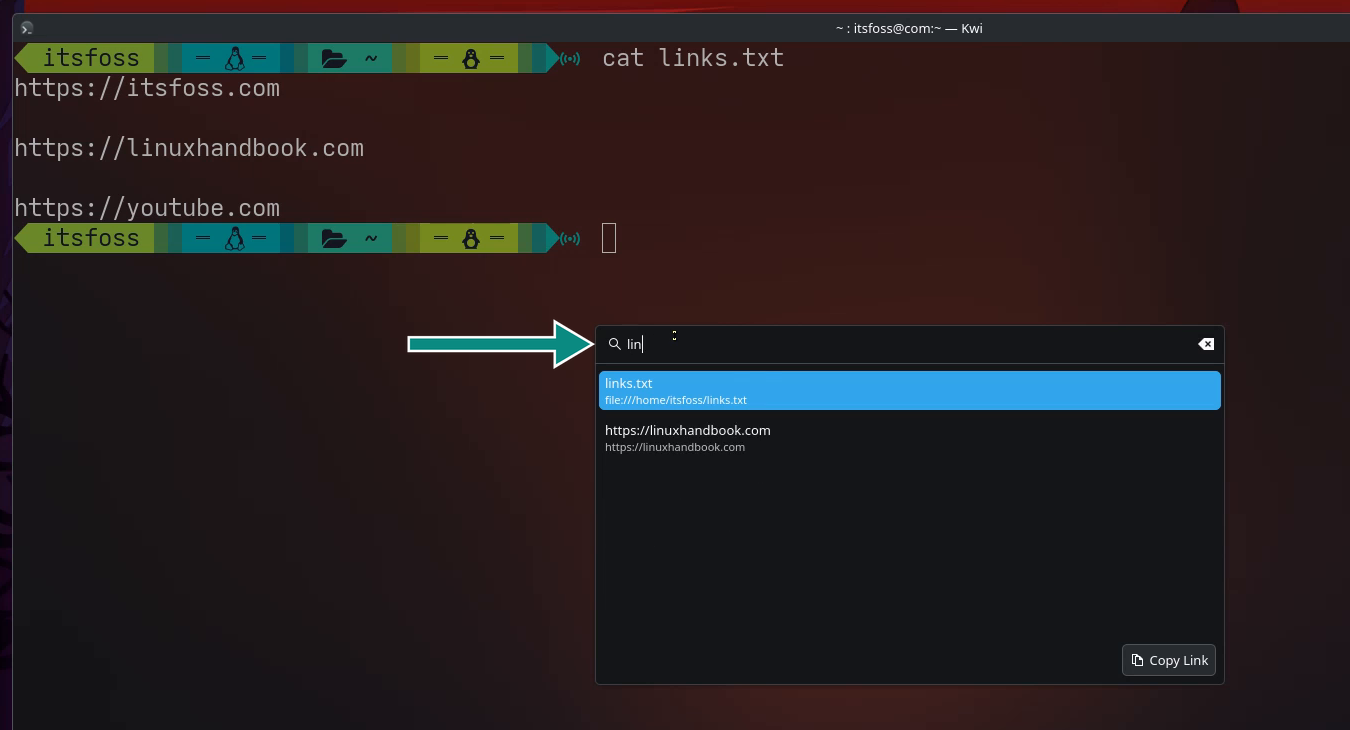
Link picker dialog in Kwi with an arrow pointing to the search field

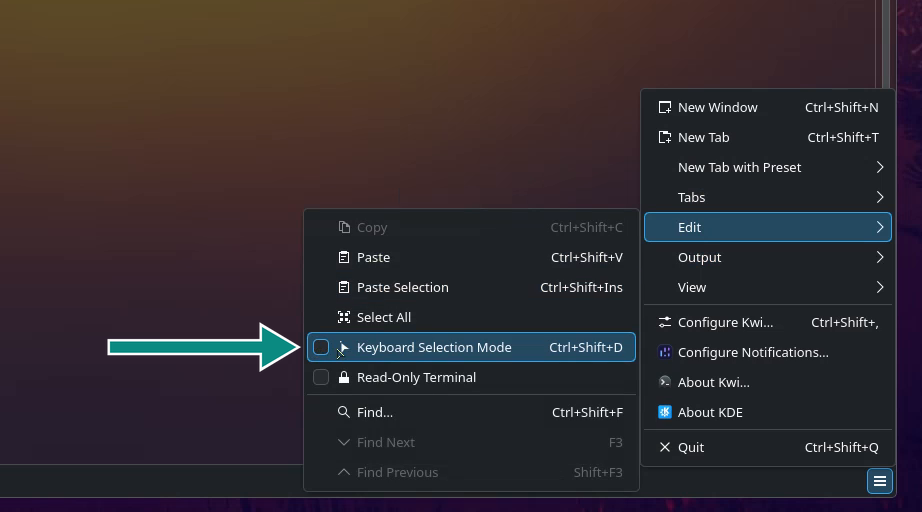
Kwi Edit menu with an arrow pointing to Keyboard Selection Mode

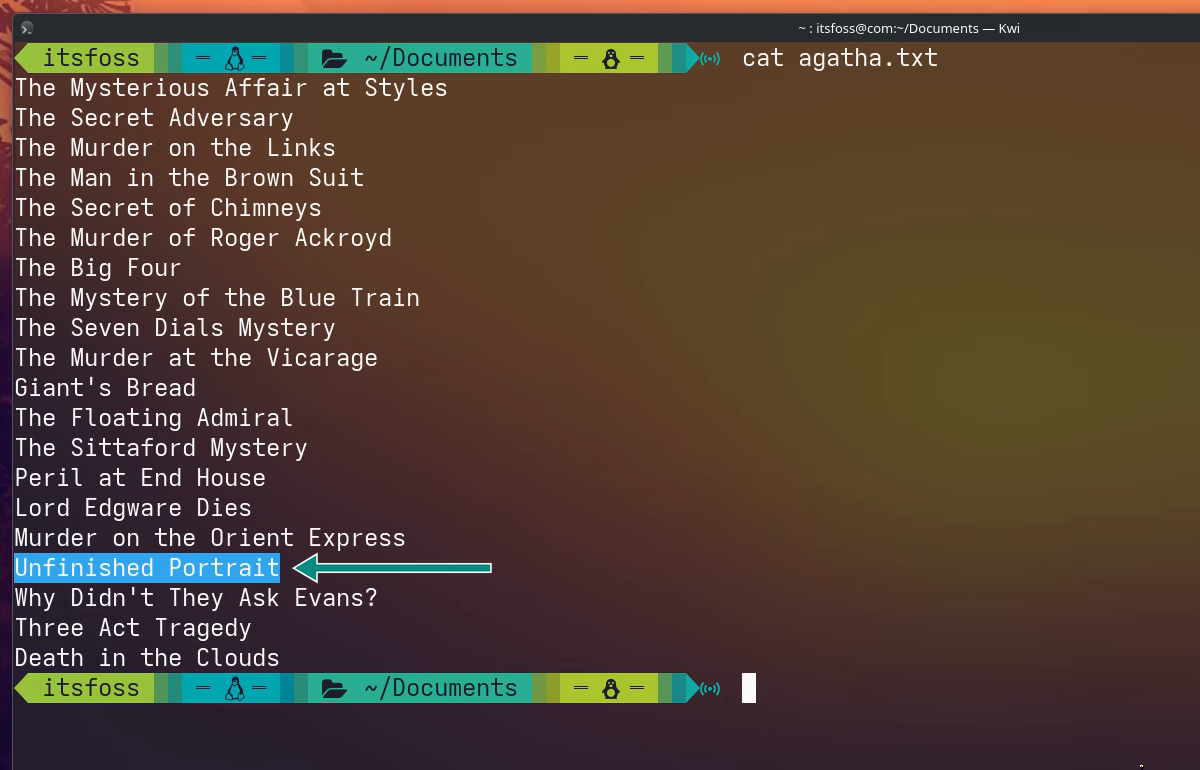
A line of text selected in Kwi with an arrow pointing to the selection

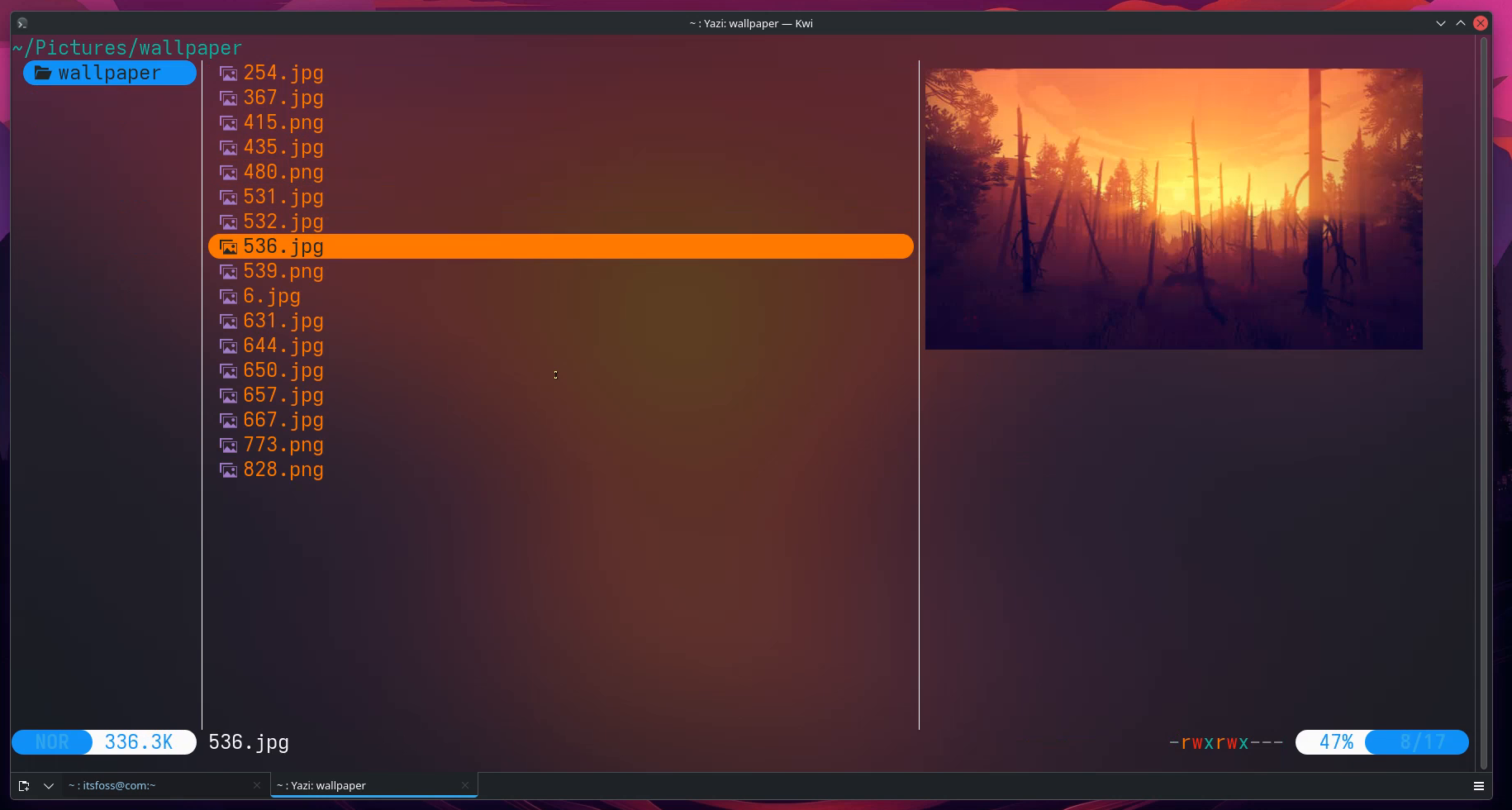
Yazi file manager showing an image preview inside Kwi

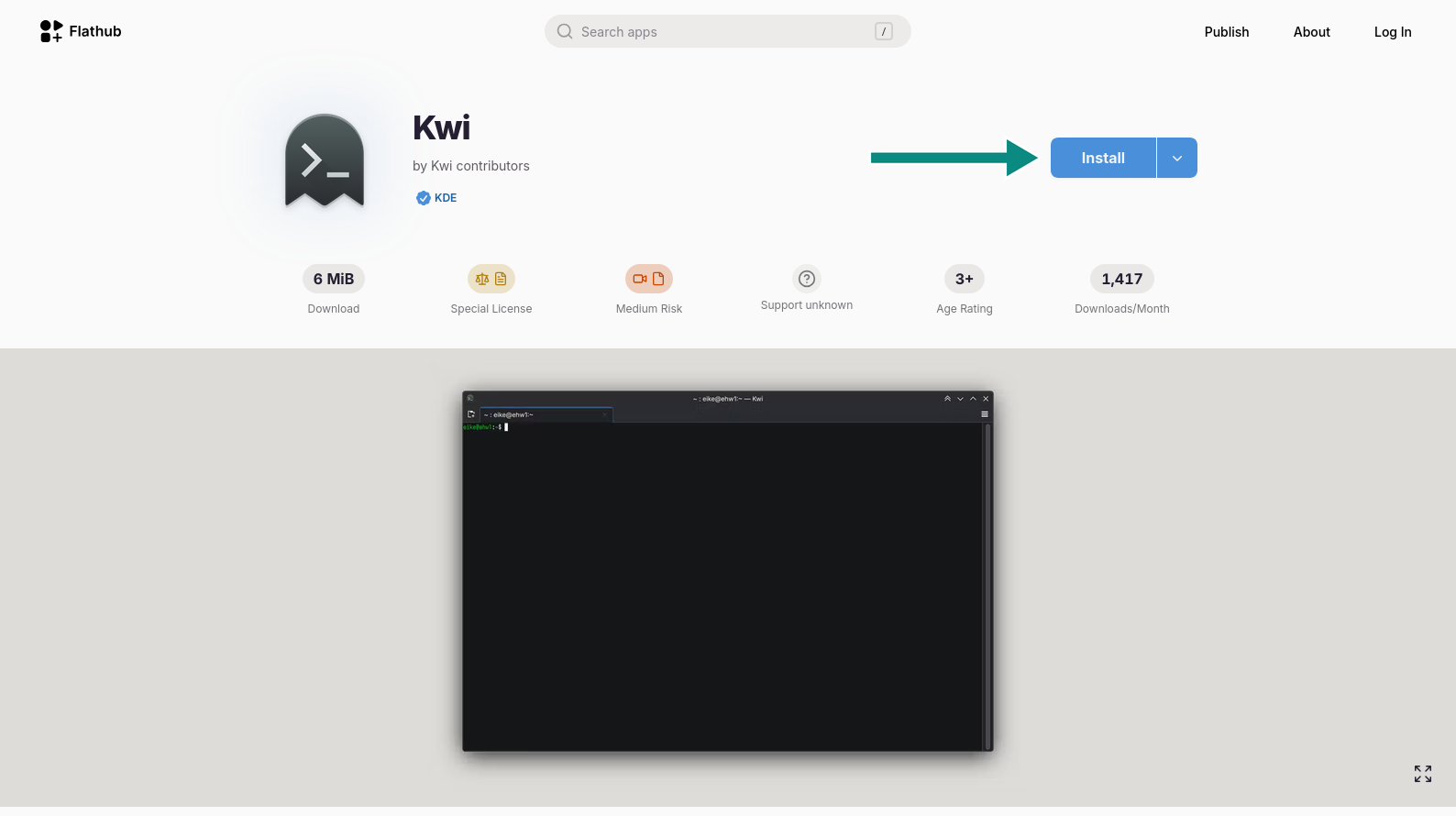
Kwi page on Flathub with an arrow pointing to the Install button

阅读原文

Mark Do

关注我的头条 不要放弃,百折不挠,坚强、自信。

还没有任何评论,你来说两句吧!

发表评论